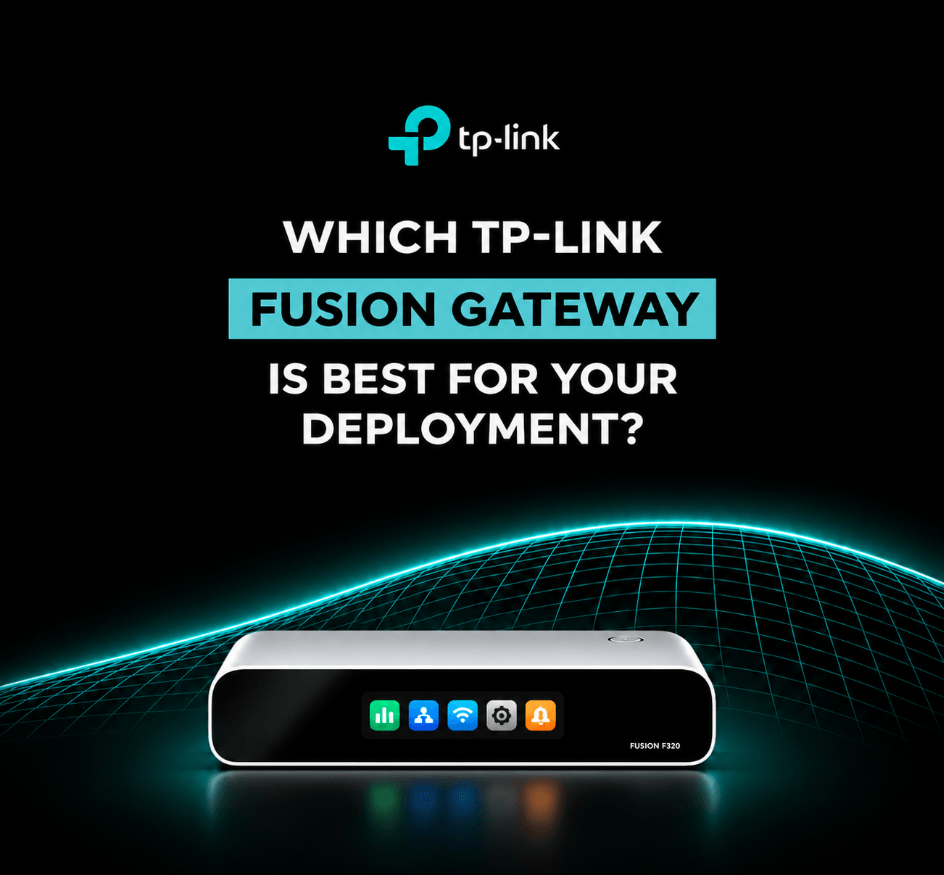
Which TP-Link Omada Fusion Gateway Is Best for Your Deployment?
TP-Link Omada's Fusion Gateway range is here, and there's quite a bit to explore!
Bringing routing, network management and, in selected models, surveillance together in one device, the Fusion range is all about making business networking easier to set up and manage.
But with Fusion, Fusion Pro and Fusion Max in the mix, what's the difference, and where does each one fit?
We're taking a closer look at the three series, what they offer and which types of deployments they're best suited to.
Getting to Know the Omada Fusion Gateway Range
First things first, what makes a Fusion Gateway different?
Rather than having a separate gateway and hardware controller, Omada Fusion combines both into one device. That means less equipment to install and fewer things to manage.
You also get Bluetooth-guided setup, automatic Omada device discovery and licence-free cloud management, making it easier to get networks up and running and keep an eye on them remotely.
The range is split into three series:
- Fusion Series: A great fit for smaller businesses that need reliable networking and straightforward management.
- Fusion Pro Series: Takes things a step further by bringing networking and CCTV management together.
- Fusion Max Series: Built for bigger deployments with more connected devices, users and surveillance requirements.
Which Fusion Gateway Works Best Where?
1. Fusion Series – Small Offices, Shops & Cafés
Not every installation needs a complicated setup. For smaller businesses, it's often about getting everything connected, keeping it running smoothly and making ongoing management easy.
That's where the standard Fusion Series comes in.
It combines routing and network management in one device, with support for up to 30 managed Omada network devices. And if CCTV management isn't on the list of requirements, there's no need to step up to the Pro range.
Best suited to:
- Small offices needing reliable wired and wireless networking.
- Independent shops offering staff and guest WiFi.
- Cafés and restaurants with multiple access points.
- Smaller networks that need remote management.
Which model should you choose?
The Fusion G+ is a solid starting point for networks mainly using gigabit connections, while the Fusion 2.5G steps things up with five 2.5G Ethernet ports.
Need to power access points directly? The Fusion 2.5G PoE includes eight PoE+ ports and a shared 110W power budget, helping cut down on additional equipment.
2. Fusion Pro Series – Networking Meets CCTV
If an installation involves both networking and CCTV, things can quickly get a little more complicated, especially when the two systems need managing separately.
Fusion Pro brings them together.
Alongside its gateway and network controller functions, it includes a built-in video management system, allowing networking and surveillance to be managed from one platform.
You also get video recording, playback, AI-assisted search with compatible cameras and an SSD tray supporting up to 2TB of local video storage.
Best suited to:
- Retail stores with CCTV covering entrances, tills and stockrooms.
- Restaurants needing guest WiFi alongside surveillance.
- Medical clinics with networking and security requirements.
- Smaller commercial installations combining connectivity and CCTV.
Which model should you choose?
The Fusion Pro 2.5G PoE includes nine 2.5G Ethernet ports, eight of which support PoE+, with a combined 180W power budget.
This allows compatible cameras and access points to receive power directly from the gateway, reducing the need for separate PoE equipment.
Need faster connections? The Fusion Pro 10G is another option, offering 10Gbps connectivity for installations with higher bandwidth requirements.
That means you don't necessarily need to move up to Fusion Max for 10Gbps ports alone. The main consideration is how much capacity your network needs as it grows.
3. Fusion Max Series – For the Bigger Setups
More users, more devices, more access points and more cameras. As a network gets bigger, there's naturally more to manage.
Fusion Max is designed to handle these larger setups, offering greater management capacity than the Fusion and Fusion Pro ranges.
It also introduces 10Gbps connectivity for higher-bandwidth connections, although selected Fusion Pro models offer this too. The main advantage of Fusion Max is its greater capacity for managing larger networks and surveillance systems.
With support for larger numbers of managed devices, around 1,000 clients and up to 50 4K cameras, the range is designed for more demanding installations. There are also two HDD bays supporting up to 48TB of video storage.
Best suited to:
- Larger offices with multiple departments and access points.
- Warehouses with extensive networking and CCTV coverage.
- Growing businesses with more complex network requirements.
- Commercial installations needing additional capacity.
For bigger deployments, Fusion Max offers greater scalability, particularly where networking and surveillance are both involved.
Omada Fusion Gateway Comparison
Still deciding? Here's how the three series stack up.
| Feature | Fusion Series | Fusion Pro Series | Fusion Max Series |
| Best For | Small Businesses | Smaller businesses with CCTV | Larger commercial networks |
| Management | Networking | Networking & surveillance | Networking & surveillance |
| Managed network devices | Up to 30 | Up to 30 | Higher capacity, model-dependent |
| Recommended clients | Up to 300 | Up to 300 | Around 1,000 |
| Video storage | None | Up to 2TB SSD | Up to 48TB HDD |
| Camera management | None | Up to 24 with compatible NVR | Up to 50 4K cameras |
| Maximum port speed | 2.5Gbps | Up to 10Gbps on selected models | Up to 10Gbps |
| Built-in PoE | Up to 110W | Up to 180W | Up to 180W |
*Capabilities vary by model and configuration. Camera limits depend on recording resolution and connected equipment. PoE budgets shown are for selected PoE-equipped models.
A Few Things to Consider Before Choosing
So, how do you narrow it down? Here are four things worth checking before deciding on a Fusion Gateway.
- How big is the network? Think about how many access points, switches and users need connecting.
- Does CCTV need to be included? If it's networking only, standard Fusion may be all you need. For integrated surveillance, look at Fusion Pro or Max.
- Do you need PoE? A model with built-in PoE could save you from adding another switch, depending on how many devices need power.
- Is there room for growth? A network that works perfectly today might need more capacity further down the line.
So, Which Fusion Gateway Is Right for You?
There's plenty to choose from, but the differences are fairly straightforward.
Fusion keeps things simple for smaller networks. Fusion Pro adds surveillance into the mix, with selected models offering 10Gbps connectivity, while Fusion Max offers greater capacity for larger installations.
It's all about choosing the right fit for your setup, with enough room to grow as your network does.