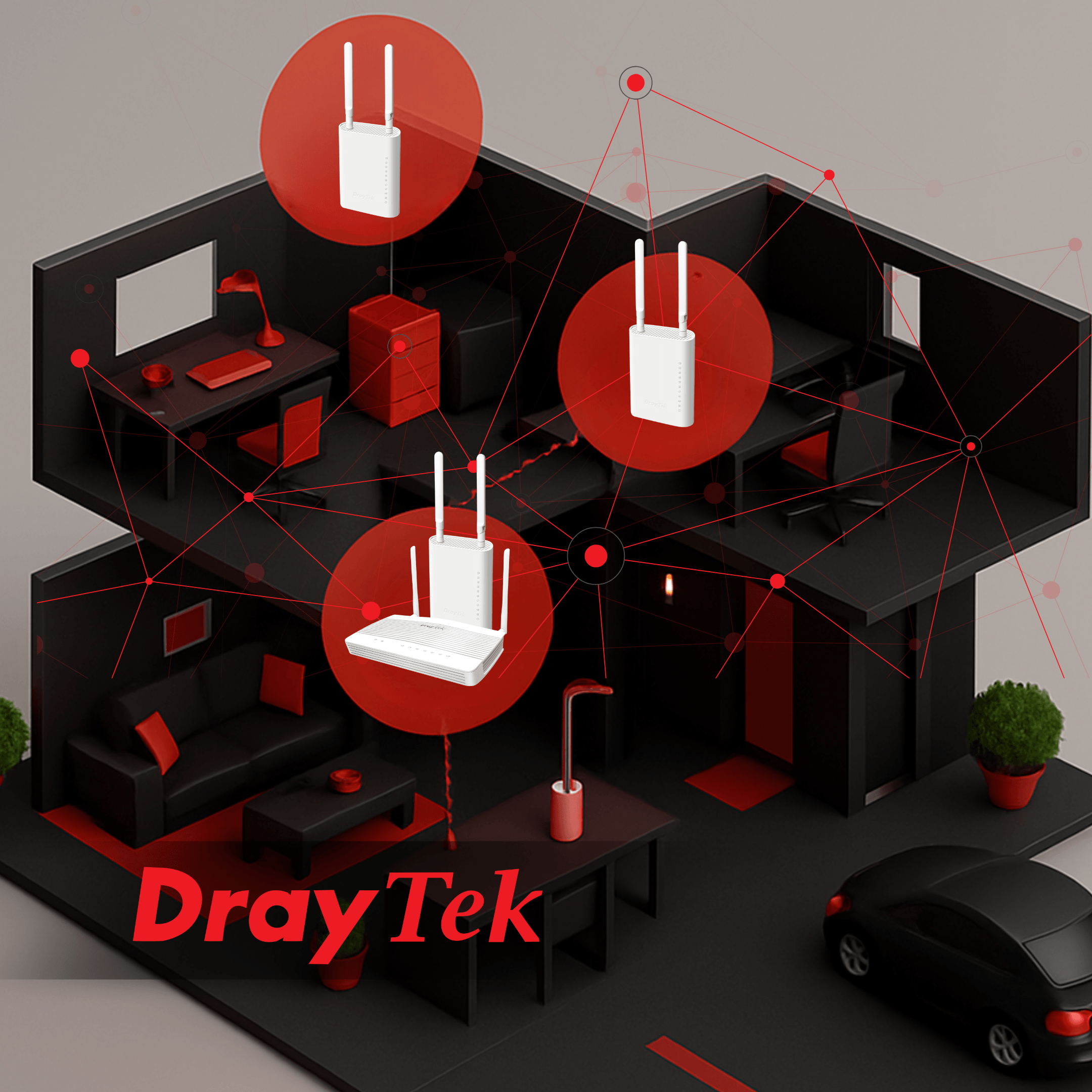
A Mesh network is a must for large wireless networks; while one or two WiFi access points can easily cover a home, retail space or smaller office in dependable, dropout-free connectivity, larger buildings spanning multiple floors or spaces with thick walls and corners can begin to run into trouble. Once the space becomes large enough, a network of un-meshed access points can lead to awkward WiFi black-spots, and the lack of centralised management means that each access point needs to be manually provisioned, monitored, managed and troubleshot in case of errors - a task that can quickly spiral out of hand in bigger networks.
WiFi Mesh is the answer to these problems, and DrayTek have been working hard to perfect Mesh networks since the release of the VAP903 back in 2019; in a mesh network, each WiFi access point is interconnected with the others, working together to blanket an entire space in high-speed, dependable network coverage.
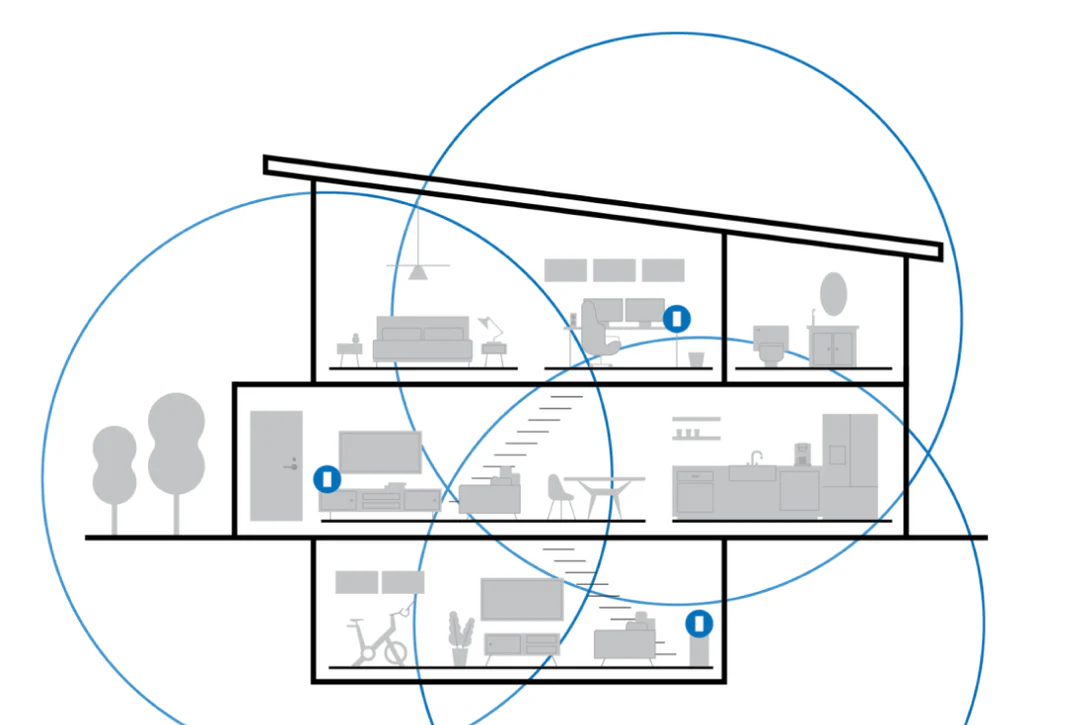
As well as improved connection strength and stability, a DrayTek Mesh network is ‘Self Healing’ - meaning that, if one access point drops out, the other access points can automatically adjust their range and settings to pick up the slack - and offer Seamless Roaming, so a device like a mobile phone can instantly jump between mesh access points to find the one with the best connectivity as you move through the building.
A mesh network has other advantages, too - where individual access points will all need individual monitoring and management, DrayTek’s mesh networks can be centrally and remotely managed from a single pane of glass, on-site or remotely. This means that a single IT professional can set up and keep a watchful eye over even the largest networks in moments, instead of tracking down a bug in dozens of individually provisioned APs.
This can all be achieved using DrayTek’s brand-new Virtual Controller, a user-friendly interface designed to make mesh networks quicker and easier than ever before!
DrayTek’s Virtual Controller: Slick, Scalable & Secure
DrayTek’s Virtual Controller offers an effortless, birds-eye view across your entire Mesh network; every step of the way, from initial provisioning to monitoring and troubleshooting, can be achieved remotely from a single easy to use interface.
Most mesh networks require some kind of a physical controller, installed on-premises, to link the access points together - however, with DrayTek’s Virtual Controller, any mesh-compatible router or access point can act as the controller, anchoring all the mesh nodes together for seamless WiFi connectivity. DrayTek have a handy table detailing which routers and APs can be used in a mesh network, as well as their compatibilities and minimum firmware versions - you can take a look at their WiFi Mesh Model Comparison here!
Setting up your Mesh Network with DrayTek
Setting up a mesh network with DrayTek’s virtual controller couldn’t be easier!
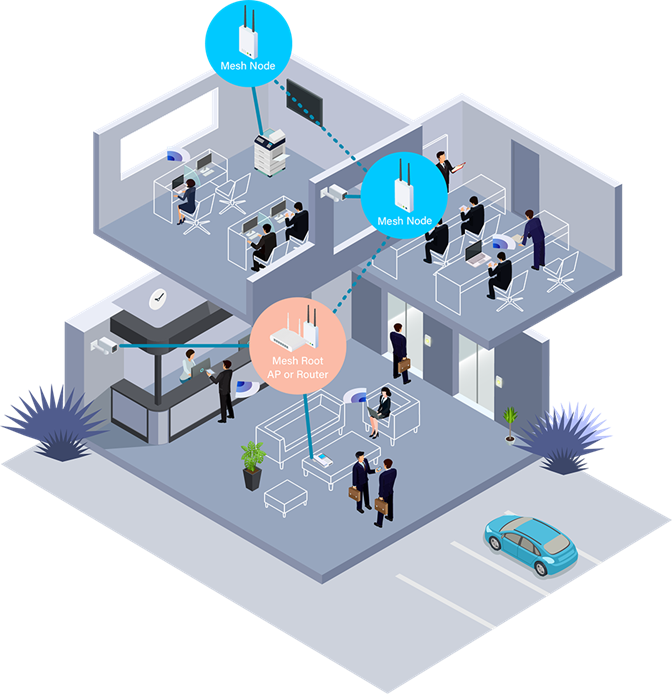
First, a mesh network needs a Mesh Root - this is effectively an access point or router that acts as a master device, and ties the rest of the access points together. Once the router or access point you’d like to use is powered and connected to the internet, you can scan the QR code on the device itself with the DrayTek Wireless App, and configure the wireless network (or SSID) name and password.
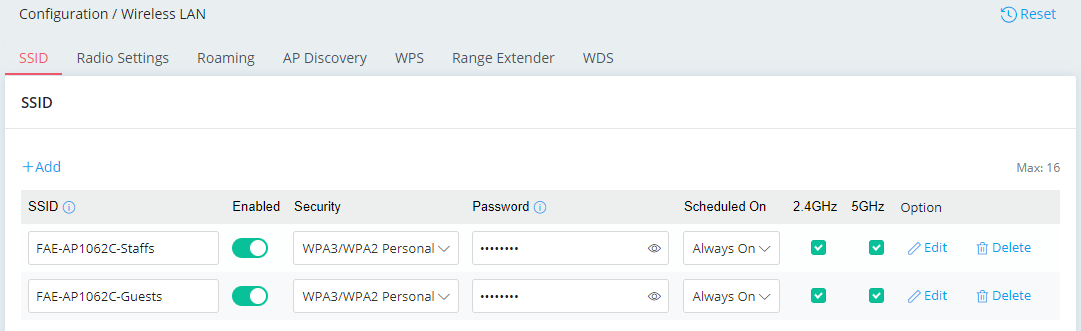
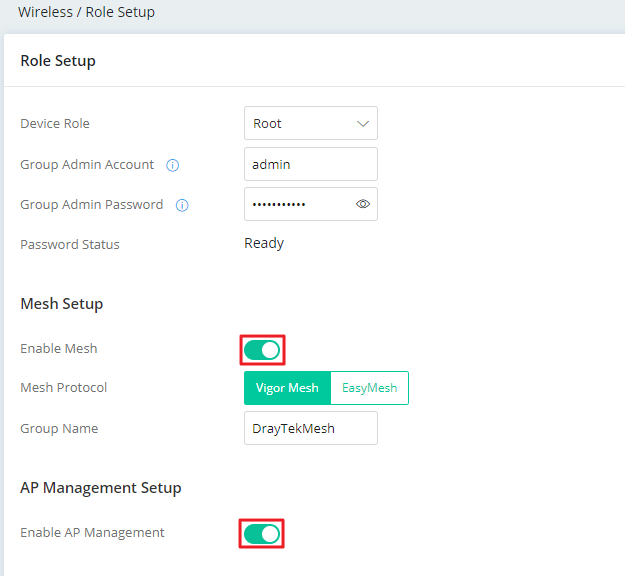
Then, click over to Role Setup on the device itself; it’s important to change the Group Admin Password, which will be the Admin password of each new access point you add to the mesh network.
Once your root device is connected and configured and the Group Admin Password set, you can set the Device Role as ‘Root’, enable Mesh and AP Management with the toggles at the bottom of the page, and you now have a Mesh Root device!
Adding Mesh Access Points to the Network
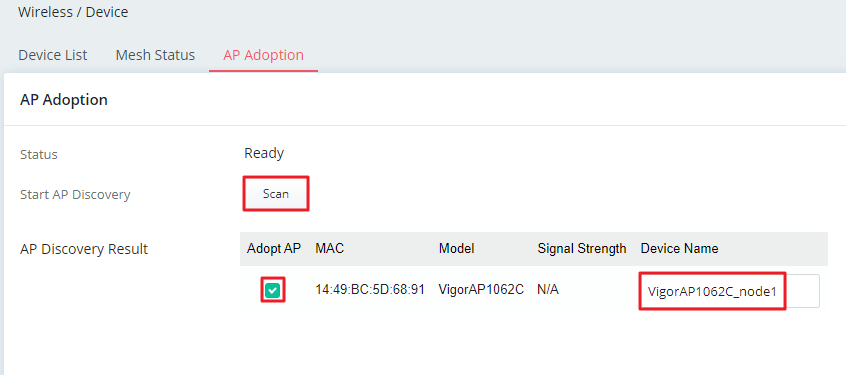
Once your root device is configured, you can easily add access points to the mesh network. Once your access points are powered on correctly, just click over to the AP Adoption tab in your Virtual Controller interface, and click Scan.
The Root AP will now search for any other access points in the area, and - once found and accepted - automatically adopt them into your Mesh network. These access points in the mesh network that aren’t the root AP will be known as ‘Nodes’.
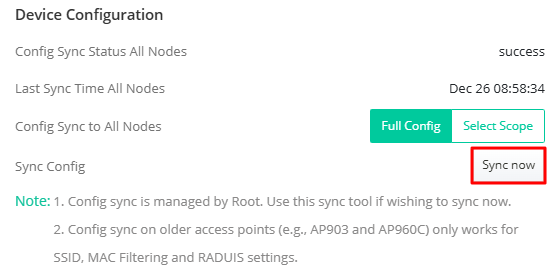
As your nodes come online, you’ll be able to automatically push the settings and firmware to each one - meaning, instead of needing to log into each access point individually for configuration, each node can ‘Copy’ the settings of another AP on the network. This can be either the root access point or any one of the nodes, meaning that your network can come online almost immediately with minimal configuration and admin.
To share configuration details throughout the mesh network, just open the edit menu of the access point with the settings you’re looking to copy, and click ‘Sync Now’ at the bottom.
Congratulations - you’ll now have a fully online, self-healing and seamless roaming mesh network, ready for clients!
Conclusion
Modern reliance on wireless technology will only increase as technology and demand improves, and it’s crucial for modern businesses to be able to keep up with demand; patchy, unreliable WiFi coverage can truly make or break a business, meaning that a dependable network has never been more important.
With DrayTek’s Virtual Controller, a wide-ranging top-spec mesh network is easily within reach, and can be set up in moments by a single IT professional; so, whether for an office looking to improve WiFi consistency, a warehouse looking for dependable coverage, or retail spaces needing to deliver fast, secure WiFi to their customers - DrayTek’s Virtual Controller can help!