
How can I reset my Shelly device if it's not responding?
If your Shelly device has stopped responding, it's often a good idea to reboot it.
Rebooting a Shelly device is nice and easy - just turn off the power supply (either from the wall switch in which the Shelly is installed, or at the breaker panel), wait thirty seconds, and turn the power back on.
If this still doesn't fix the issue, the Shelly device may need to be factory reset.
If you have physical access to the Shelly device, you can press and hold the reset button on the back of the device for 10 seconds, at which point the device will be reset. 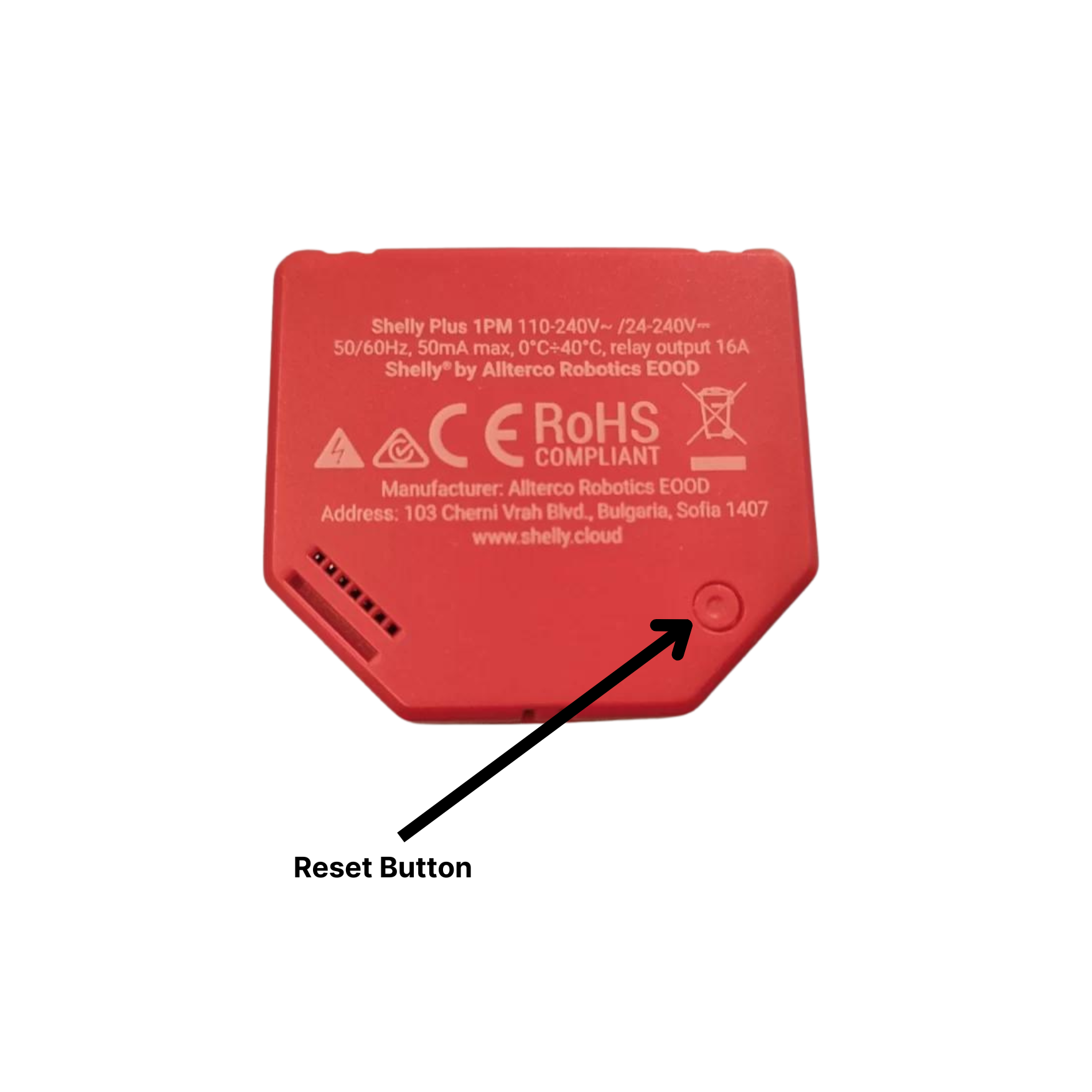
If you don't have physical access to the device, you can factory reset the device by disconnecting and reconnecting the power supply, as you would in a normal reboot. After the device powers back up, toggle a switch connected to the input Sw1 or SW2 on and off five times (ten times in total) or press and release a momentary button 5 times, depending on what kind of switch the Shelly device is connected to.
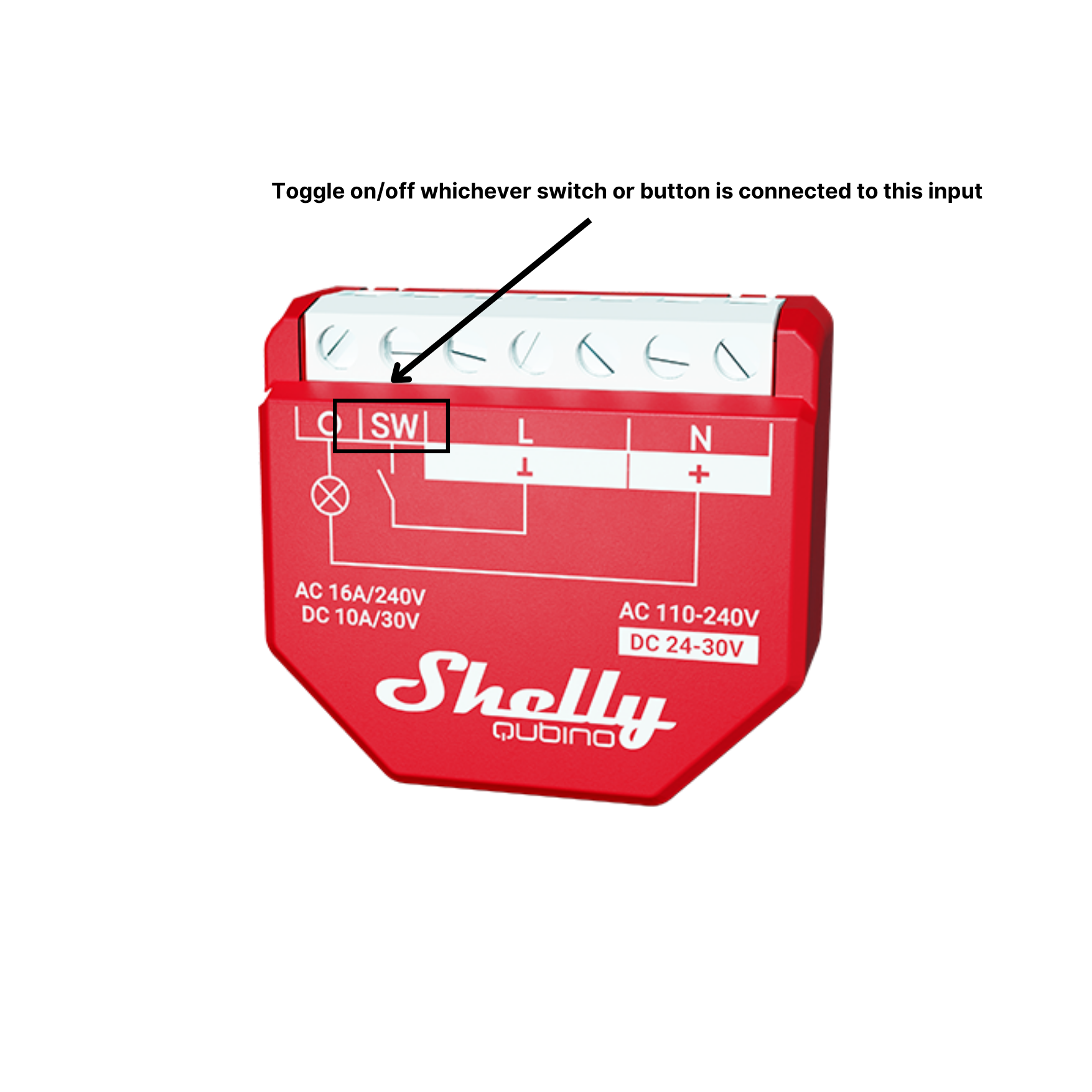
Your Shelly device should now be factory reset, and can be set up again.
Click here for our FAQ on how to add a Shelly device to your app!