
Hospitality isn't just about the room anymore; it’s about what works the second a guest walks through the door. Between check-ins, payments, security, and streaming, there’s a lot happening in the background. When the network is right, nobody notices, but when it fails, everyone does. Using the HPE Instant On range, you can build a network that stays out of sight and just works, tailored specifically to each zone of the hotel.
Why HPE Instant On is Built for Hospitality
In a hotel, the network is as essential as hot water; guests expect it to be seamless, and staff depend on it to keep the business running. HPE Instant On is designed to bridge the gap between basic home WiFi, which buckles under the weight of dozens of guests, and complex enterprise systems that require a dedicated IT team to manage. It offers professional-grade hardware that is "set and forget." Through a single mobile app, you can oversee the entire property, manage guest bandwidth to prevent lag, and ensure your front-desk payments are always prioritised. It’s about getting high-end performance without the high-end complexity.
Starting at the Core: The Communications Room
Before WiFi reaches a single guest, everything starts at the heart of the building. Think of the Instant On SG2505P Secure Gateway as the brain of the operation. It’s what connects the property to the internet and, more importantly, keeps staff and guest traffic completely separate. Because it has a built-in firewall and threat detection, you’re protected from the jump without needing an extra security kit. Every switch and access point you install later will eventually lead back to this one hub.
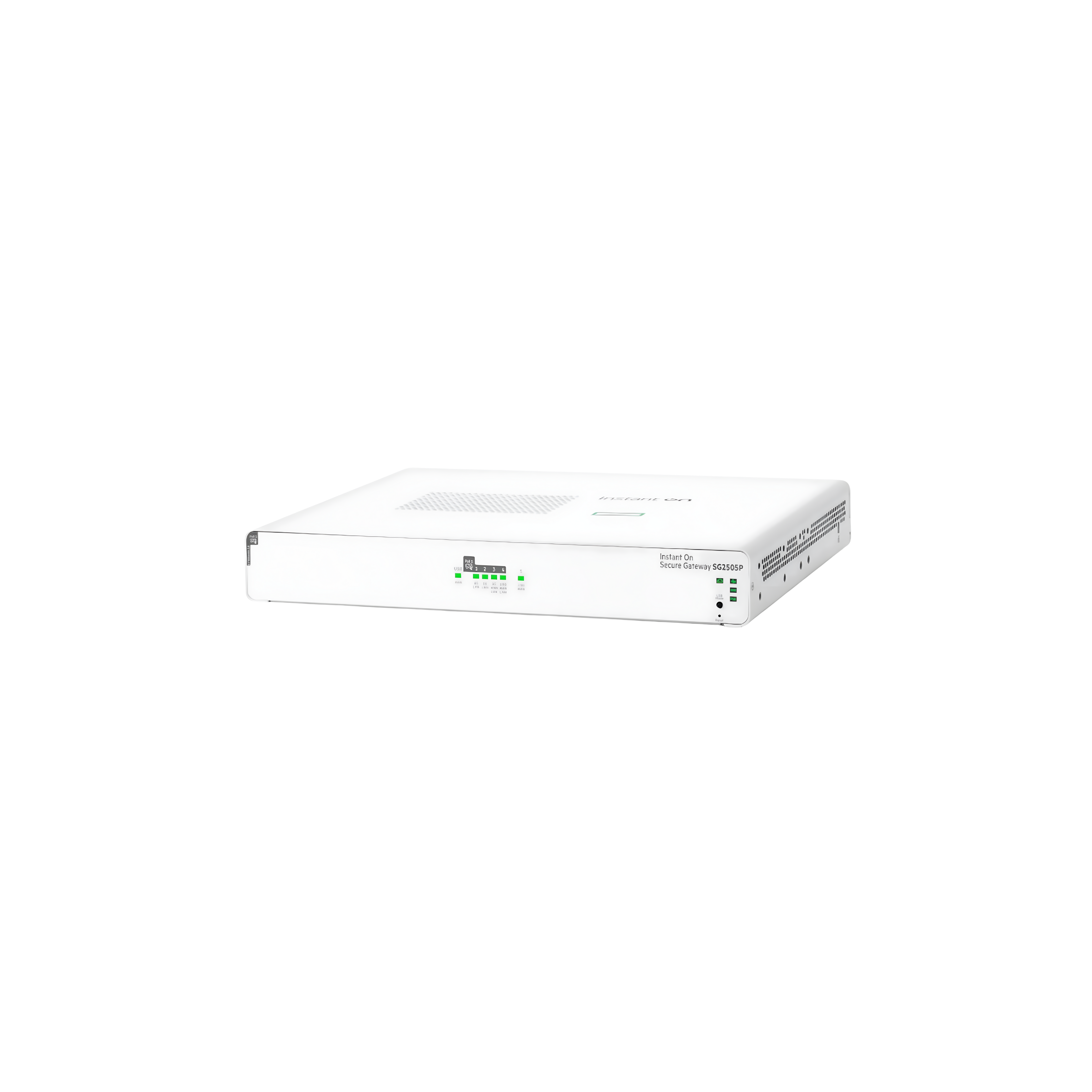
Continuous Connectivity: Supports multiple ISP links to maintain connectivity during network disruptions.
Strong Protection: Provides high performance with strong cyber threat protection.
Integrated Power: Includes a built-in 64W PoE port to power Instant On access points.
High Capacity: Supports up to 300 users, ideal for medium-sized offices, retail, and hospitality environments.
Moving Through the Floors: The Distribution
From that central gateway, you need to push connectivity out to the rest of the hotel. For most floors, an Instant On 1830 24-Port PoE switch is the workhorse. It handles the PoE for your access points, phones, and cameras, so you don't have to worry about finding a plug socket for every device.
In bigger hotels where the data traffic is heavy, you might step up to a 1960 switch. This acts as an "aggregator," giving the network more breathing room so things don't slow down when everyone tries to log on at the same time.
| Feature | HPE Instant On 1830 | HPE Instant On 1960 |
| Switch Type | Smart-managed Layer 2 | Smart-managed Layer 2+ |
| Ports | 24 x Gigabit Ethernet | 24 x RJ-45 Gigabit Ethernet |
| PoE | 12 x Class 4 PoE ports | Not specified |
| Uplinks | 2 x SFP | 2 x SFP+ 10GbE + 2 x 10GBASE-T |
| Stacking | No | Stack up to 4 switches (single IP management) |
| Management | Cloud (app/web) + Local GUI | Cloud (app/web) + Local GUI |
| Ideal For | Small businesses / SMB networks | Growing businesses needing higher performance |
Inside the Guest Room: Professional Connectivity, Delivered Locally
For the modern traveller, a hotel room is a multi-functional space; it serves as a temporary office, a private cinema, and a vital link to family. Historically, hotels relied on "corridor WiFi," where powerful access points in the hallway tried to blast a signal through heavy fire doors and thick bathroom masonry. This often results in a "dead zone" where the signal is strong at the door but non-existent by the bed or desk.
To solve this, we recommend the Instant On AP22D. Instead of fighting through walls, this unit is installed directly inside the guest room. This "in-room" approach ensures that signal interference is minimised and every square inch of the living space is covered by high-speed WiFi 6.
Beyond wireless, the AP22D acts as a sophisticated connectivity hub. It features four Ethernet ports on the bottom; these are physical sockets that allow you to "hardwire" devices using a cable. By plugging high-bandwidth equipment like Smart TVs or VoIP phones directly into these ports, you take that heavy data traffic off the airwaves. This leaves the WiFi "lanes" completely open for the guest’s personal phones and laptops, ensuring a lag-free experience for everyone.
Key Features of the AP22D Access Point:
-
WiFi 6 Optimisation: The current gold standard in wireless, designed to handle multiple devices simultaneously without the "bottleneck" effect common in older systems.
-
Integrated 4-Port Switch: Provides physical Ethernet ports to hardwire devices. This offers a more stable, "interference-proof" connection for stationary hardware like IPTVs.
-
PoE Support: The AP22D is powered by the same network cable that carries data, meaning there’s no need for bulky power bricks or extra wall outlets behind the furniture.
- Discreet Aesthetic: It is designed to mount flush against a standard wall data plate or sit neatly on a desk, blending into the room’s interior design rather than looking like an industrial router.
Lobbies & Common Areas: Handling the "Digital Rush Hour"
If the guest room is a private sanctuary, the lobby and cafe are the hotel’s busy engine rooms. These are high-pressure environments where the network has to multitask. At 9:00 AM, your WiFi isn't just serving guests scrolling through news over breakfast; it’s simultaneously supporting your reception tablets, the cafe’s POS systems, and back-office staff.
Standard WiFi often "chokes" in these areas, not because the signal is weak, but because there are too many devices competing for attention at once. For these high-density zones, we use the Instant On AP32.
Key Features of the AP32 Access Point:
-
The WiFi 6E "Fast Lane": Most WiFi operates on two crowded "roads" (2.4GHz and 5GHz). The AP32 opens a third, brand-new road called the 6GHz band. This is a dedicated, interference-free lane for the latest devices, ensuring that even when the cafe is packed, your critical operating equipment (like credit card terminals) doesn't get stuck in a "traffic jam."
-
Built for Density: Engineered to manage dozens of devices simultaneously, so the background music doesn't skip while guests are uploading photos or checking into flights.
- Future-Proof Performance: With a "2.5Gb" connection port, it has a much larger "pipe" to send data back to the server, meaning the network won't slow down as your hotel grows.
Top Tip: Solving the "Tricky Corner" with Smart Mesh
In older buildings or beautifully designed lobbies, you’ll often find "tricky corners", places where thick stone walls, mirrors, or structural pillars block the WiFi signal. Normally, fixing this requires "running a cable," which means drilling holes or lifting floorboards to connect a new access point to the main hub.
If you want to avoid the mess and cost of construction, use Smart Mesh. This technology allows one Instant On access point to "talk" to another wirelessly. It acts like a relay race, passing the signal through the air to cover that one dead-zone table in the cafe or the far end of the lounge, without needing a single new wire in the wall.
Conclusion: Future-Proofing Your Guest Experience
At the end of the day, a hotel network is like any other utility: you only notice it when it doesn't work. By shifting from a "one-size-fits-all" router to a tailored network like HPE Instant On, you aren't just buying hardware; you are investing in your hotel’s reputation.
Ultimately, a hotel network is a lot like your housekeeping; it’s most successful when it’s invisible. By tailoring your hardware to the specific demands of each zone, you ensure your infrastructure finally matches the quality of your hospitality. This creates a "set and forget" environment where business data stays secure, staff tasks are prioritised, and guests enjoy the high-speed freedom they’ve come to expect.
The beauty of the HPE Instant On ecosystem lies in its simplicity. You gain full control through a single mobile app without ever worrying about hidden subscription fees or complex maintenance. It’s professional-grade connectivity that allows you to stop playing IT manager and get back to what you do best: looking after your guests and growing your business.
