
Product Comparison: NETGEAR 20+ port Switches ‘In the market for a 28 or 24 port network switch? Look no further than NETGEAR.’
With both smart switch and cloud-managed options, all-gigabit ports as standard and affordable pricing, you’re bound to find the unit for you somewhere in NETGEAR’s strong lineup of network switches.
Read on to learn in detail the units best suited for your application.
Why a 24 Port Switch?
If you’re an SME or other entity looking to deploy a medium-to-large network, especially if you’re looking to deploy many wireless access points or security cameras, a 24port switch likely represents the best option. 12 and 8 port switches are likely to be quickly outgrown by ambitious businesses.
As your business grows, additional access points, IP phones and IP surveillance cameras will no doubt need to be installed. This puts ever-increasing demands on your network, meaning greater throughput capabilities and a greater number of ports per switch are necessary to efficiently configure your network. With a 24 or 28 port switch, you’ll have far more flexibility and scalability down the line, future-proofing your business for growth!
Smart Switches vs Fully Managed Switches
For any corporation, the choice of switch type comes down to smart or ‘fully managed’. Unmanaged switches simply won’t be capable of the data prioritisation that you need. If your business conducts video conferencing or uses VoIP, prioritising this video and voice data becomes highly important. If your conferences/calls with clients or customers experience delays, packet loss and a host of other issues, your business won’t come across well. Conversely, if an email experiences a slight delay in its sending, no one is likely to notice.
Smart switches allow users to configure their network switch to their liking. Smart switches offer less granularity in that control than a fully managed switch, but for some, this will actually be an advantage. Novice and untrained users will be able to interface with the smart switch and get the results they want without too much difficulty. The management system’s simpler UI (user interface) will be less daunting, whilst the reduced price point (in exchange for the reduced control) is an added bonus for those who don’t need such granular control.
Smart switches offering QoS (Quality of Service) configuration allow the user to prioritise network traffic to and from particular devices, or for particular types of network traffic (like the aforementioned VoIP and video data). Most often, QoS will automatically favour voice and video traffic since delays in the traffic are most detrimental to user experience.
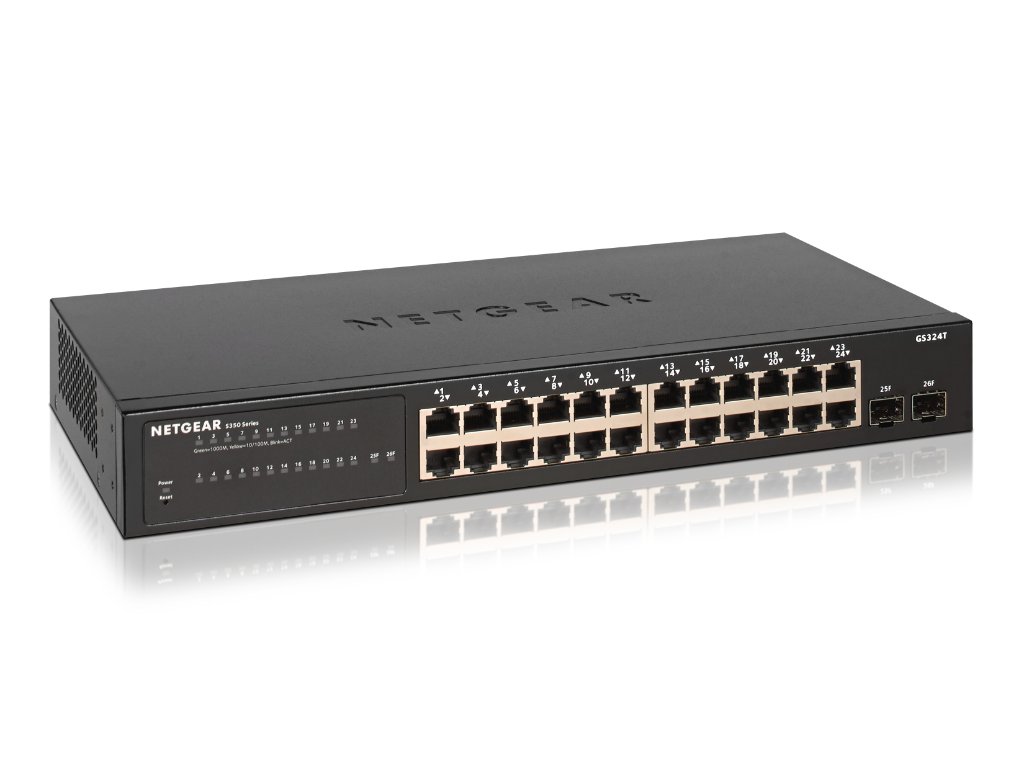
All NETGEAR switches with an ‘S’ as the second character in the SKU are smart switches (whilst those with a ‘C’ in the same position are ‘cloud-managed’ switches, managed via one of NETGEAR’s multiple cloud-management platforms). So, when looking for a smart switch, make sure that the second character in the SKU is an ‘S’.
For an affordable but powerful 24 port switch, with an additional two SFP fibre ports, the NETGEAR GS324T is a smart switch that can offer your business the management capabilities it needs for features like VLAN support and L2/L3/L4 access control lists, as well as all-important QoS traffic prioritisation on a port-by-port basis.
If you’re deploying many access points and/or surveillance cameras that need unit-by-unit management, you’ll benefit greatly from choosing a network switch with PoE (power over ethernet) capabilities. The NETGEAR GS752TP goes one better by offering PoE+ in addition to all the features and functions of the GS234T.
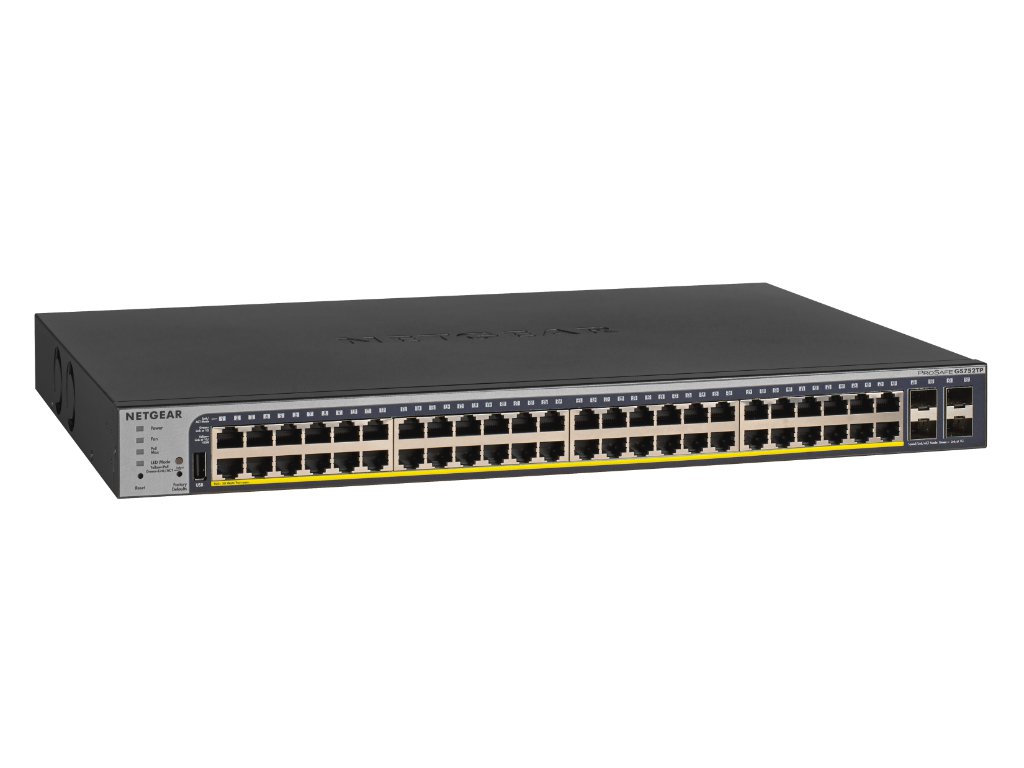
The GS752TP switch also benefits from cloud management via the ProSAFE Network Management System (NMS300). This is more of a large enterprise/campus management solution for massive networks spanning multiple buildings and such a solution might be overkill for many SMEs or smaller businesses. However, for those that do have a network of such a size, employing multiple GS75TP units might be the answer.
NETGEAR Insight Managed Smart Switches
There are a number of purpose-built NETGEAR Insight cloud-managed switches which likely represent the perfect solution for SMEs and similarly sized deployments which need a simple, easy-to-use (but still powerful) remote management system.
If you don’t need PoE capabilities with your switch, then the Insight managed NETGEAR GC728X is perfect. With an excellent cost-to-performance ratio, this 28 port switch features 24 copper Gb ethernet ports, two SFP 1G and two SFP+ 10G fibre ports for maximum flexibility in your network. Its management features like static routing, port-by-port PoE control and PoE scheduling bridge the gap between Layer 2 and Layer 3 network management for the ideal SME solution. VoIP data streams are prioritised out-of-the-box, immediately taking care of those all-important QoS issues discussed earlier.
Conclusion
For larger enterprises and very large network deployments, or if you have a dedicated system administration / IT team in the business who can manage your network, then a fully managed switch is likely the best option.
For small-to-medium enterprises and other growing entities who want to effectively future proof their network and add in scalability without needing to immediately invest in system administration training and staff, cloud-managed smart switches represent the best option.
NETGEAR Insight cloud-managed smart switches are perfect for such an application. Insight is a cloud management platform built from the ground up to deliver comprehensible-yet-powerful network management to the everyday business owner. Any technically inclined person will be able to master the powerful platform quickly, giving you the control and confidence you need in the security and performance of your business’ network now with minimal added investment necessary.