£0.00
NetXL Logo
Hello! Log InYourAccount
  • Networking
  • Antennas
  • CCTV
  • Smart Home & Security
  • Speakers
  • VoIP
  • Accessories
  • Brands
  • Bundles
  • Reduced
Help & SupportExpress ShippingTrade Account
Explore
  • Brands A-Z
  • Categories
  • Reduced & Clearance
  • Bundles
Trade
  • Apply for Trade Account
  • Trade Account Benefits
  • API
  • Extended Warranty
More from NetXL
  • About Us
  • Blog
  • News
  • Careers
Terms
  • Terms & Conditions
  • Privacy Policy
  • Extended Warranty T&C
Help & Support
  • Contact Us
  • FAQs
  • Delivery Policy
  • Returns
Apple Pay acceptedGoogle Pay accepted

Unit F2, Burnt Common Business Park, London Road, Send, Guildford, Surrey, GU23 7DS

Registered in England & Wales. Company No: 13500507 VAT No: GB 386 0823 76

Copyright © 2025 NetXL Distribution Ltd, All rights reserved.

Want it by tomorrow? Order within 16 hours 59 minutes for next business day delivery.
Home
MikroTik
MikroTik QuickMount Pro Antenna Wall Mount - QMP
MikroTik QuickMount Pro Antenna Wall Mount

Click to zoom

MikroTik QuickMount Pro Antenna Wall Mount

MikroTik QuickMount Pro Antenna Wall Mount - QMP

Part Number: QMP

£4.98inc VAT
£4.15ex VAT

50 In Stock

Want it by tomorrow? Order within 16 hours 59 minutes for next business day delivery.

Easy Returns

Bulk Pricing

  • 1+

    £4.98

  • 5+

    £4.94

  • 10+

    £4.90

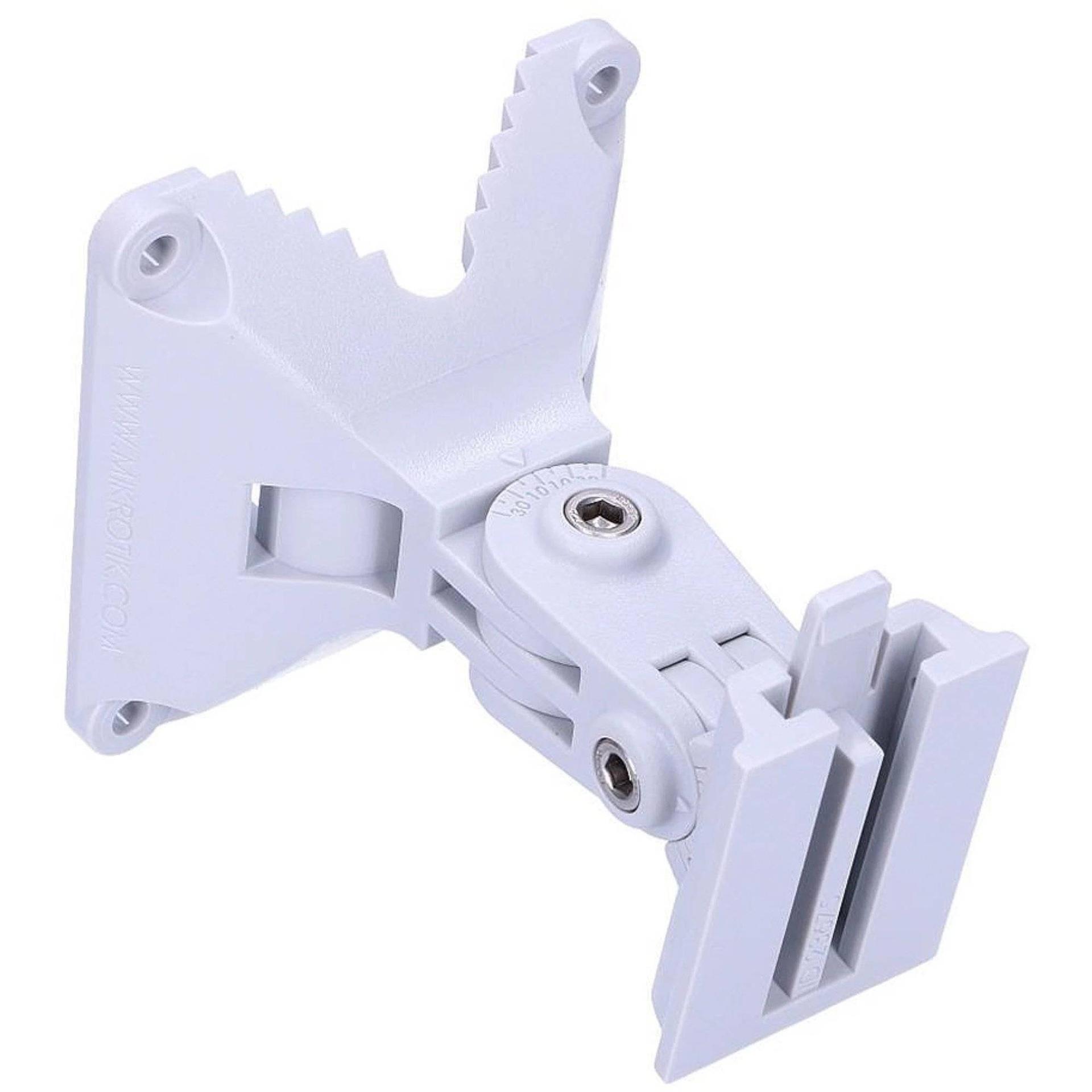
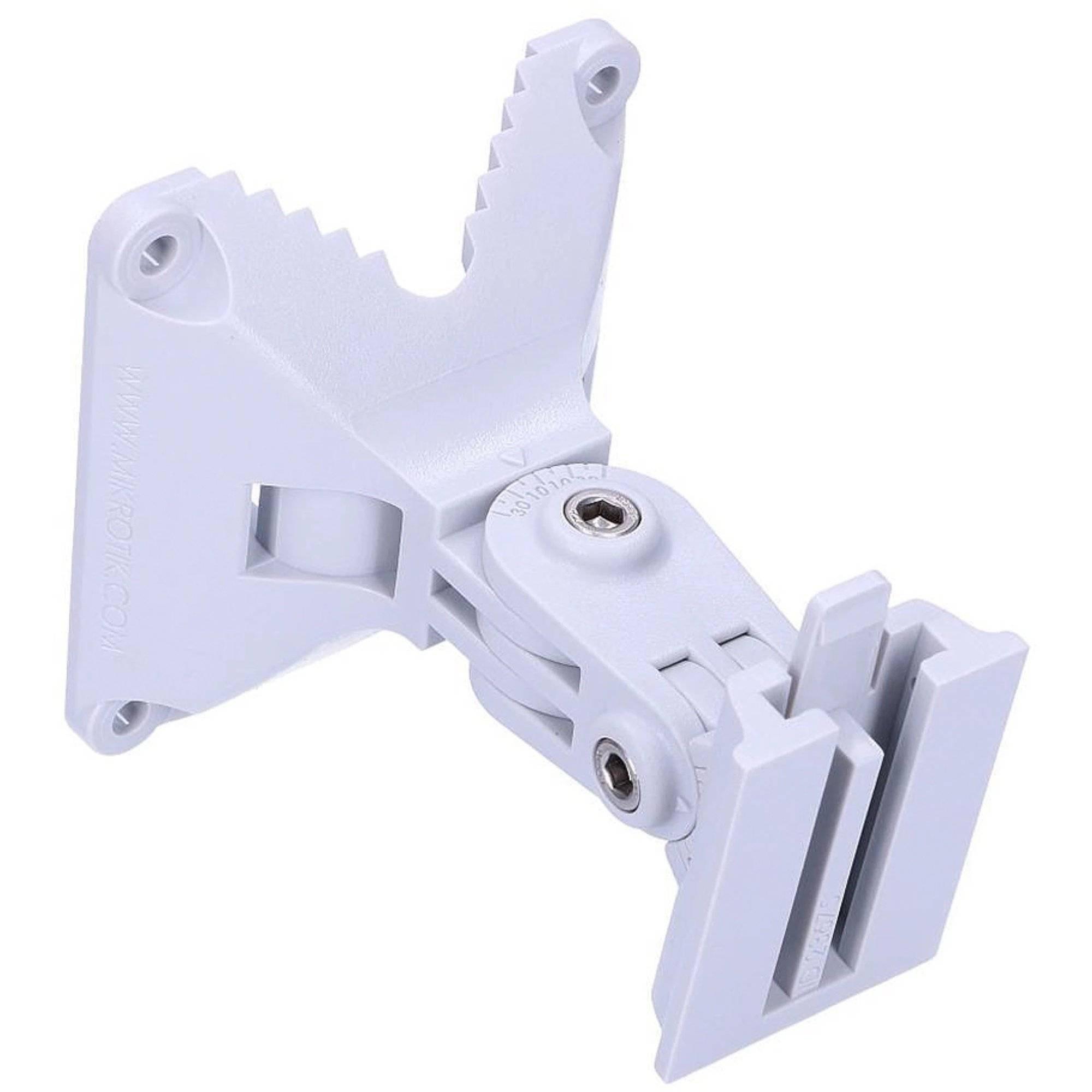
The MikroTik QMP (quickMOUNT pro) Wall Mount Adapter is compatible with small point to point and sector antennas (sold separately, see accessories tab). You can mount it on the wall or use it as an adapter from large diameter poles to small size antennas, with the mounting clip ensuring reliable fitment. The quickMOUNT pro makes it possible to turn antenna within 140° both in horizontal and vertical planes. With the quickMOUNT pro it is possible to perfectly set antenna alignment using integrated graduated scale.

Description

You can use the quickMOUNT pro with any pole mountable device, or MikroTik's small mounting clip with weight less than 1.5 kg. Supports SXT, OmniTik, BaseBox or any other pole mountable device (sold separately, see accessories tab). This adapter is very durable due to its special plastic composite material - anvilNITE. Lin: The MikroTik quickMOUNT pro is a advanced wall mount adapter for small point to point and sector antennas. You can mount it on the wall or use it as an adapter from large diameter pole to small size antenna mounting clip ensuring reliable fitment. The quickMOUNT pro gives the possibility to turn antenna within 140 degrees both in horizontal and vertical plane. With the quickMOUNT pro it is possible to perfectly set antenna alignment using integrated graduated scale. You can use the quickMOUNT pro with any pole mountable device or Mikrotiks small mounting clip with weight less than 1.5 kg.
Documents

  • Brochure:MikroTik QuickMount Pro - QMP Datasheet

You might also like

Ubiquiti Universal Wall Mount

Ubiquiti UB-AM Antenna Mount

£6.49inc VAT

More by MikroTik

MikroTik quickMOUNT PRO LHG

MikroTik quickMOUNT PRO LHG

£5.50inc VAT
MikroTik QuickMount - QM Front Angle

MikroTik QuickMount - QM

£13.27inc VAT
MikroTik quickMOUNT-X Pole Mount Adapter Front Angle

MikroTik quickMOUNT-X - QM-X

£2.99inc VAT
MikroTik QuickMount Extra Front Angle

MikroTik quickMOUNT Extra

£7.49inc VAT
RMK-2/10-1

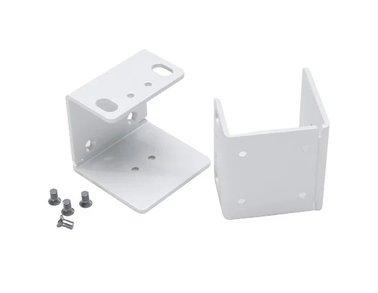
MikroTik RMK-2/10 Rackmount Kit

£7.99inc VAT

Latest Tech News

Read Blog
Directional vs Omnidirectional Antennas: Which Do YOU Need?
NetXL 15 Oct 2026 | 5 min readDirectional vs Omnidirectional Antennas: Which Do YOU Need?

Not sure which antenna is right for your 4G or 5G setup? We break down the differences between directional and omnidirectional antennas, where they work best and which Poynting models to consider.

How Is HPE Using AI to Make Networking Smarter?
NetXL 30 Sep 2026 | 5 min readHow Is HPE Using AI to Make Networking Smarter?

Discover how HPE is using AI-powered tools in Aruba Central to simplify troubleshooting, predict network issues and help IT teams manage networks more efficiently.

Which TP-Link Omada Access Point Is Right for Your Network?
NetXL 29 Sep 2026 | 5 min readWhich TP-Link Omada Access Point Is Right for Your Network?

A guide to TP-Link Omada access points, including indoor and outdoor models, WiFi 6 vs. WiFi 7, and how to choose the right AP for different environments.

What Is the Omada Fusion 2.5G Gateway?
NetXL 11 Sep 2026 | 5 min readWhat Is the Omada Fusion 2.5G Gateway?

A closer look at how Omada Fusion 2.5G combines routing, security and network management in one device.

NetXL Launches Free AI Account Access for Customers
NetXL 3 Aug 2026 | 5 min readNetXL Launches Free AI Account Access for Customers

Connect your NetXL account to ChatGPT, Claude and other AI assistants in minutes with secure, free access to pricing, orders, products and more.

What Is HPE Aruba Networking? Everything You Need to Know
NetXL 24 Jul 2026 | 5 min readWhat Is HPE Aruba Networking? Everything You Need to Know

A practical guide to HPE Aruba Networking, its key technologies, products and where they’re used.

How HPE Networking Instant On Enhances Guest Experiences Across Hospitality Environments
NetXL 8 Jul 2026 | 5 min readHow HPE Networking Instant On Enhances Guest Experiences Across Hospitality Environments

How HPE Networking Instant On Enhances Guest Experiences Across Hospitality Environments

DrayTek 2026 Product Update: WiFi 7, Multi-Gig Routers & Vigor Shield
NetXL 11 Jun 2026 | 5 min readDrayTek 2026 Product Update: WiFi 7, Multi-Gig Routers & Vigor Shield

From WiFi 7 access points to built-in network security, discover how DrayTek is evolving its business networking portfolio for faster, smarter and more resilient connectivity.