£0.00
NetXL Logo
Hello! Log InYourAccount
  • Networking
  • Antennas
  • CCTV
  • Smart Home & Security
  • Speakers
  • VoIP
  • Accessories
  • Brands
  • Bundles
  • Reduced
Help & SupportExpress ShippingTrade Account
Explore
  • Brands A-Z
  • Categories
  • Reduced & Clearance
  • Bundles
Trade
  • Apply for Trade Account
  • Trade Account Benefits
  • API
  • Extended Warranty
More from NetXL
  • About Us
  • Blog
  • News
  • Careers
Terms
  • Terms & Conditions
  • Privacy Policy
  • Extended Warranty T&C
Help & Support
  • Contact Us
  • FAQs
  • Delivery Policy
  • Returns
Apple Pay acceptedGoogle Pay accepted

Unit 4, Riverside Business Park, Walnut Tree Close, Guildford, Surrey, GU1 4UG

Registered in England & Wales. Company No: 13500507 VAT No: GB 386 0823 76

Copyright © 2025 NetXL Distribution Ltd, All rights reserved.

Home
DrayTek
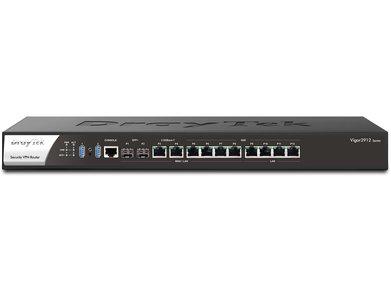
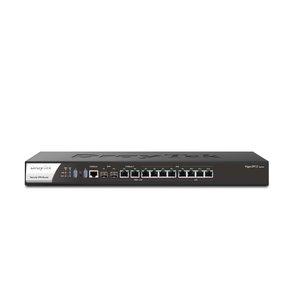
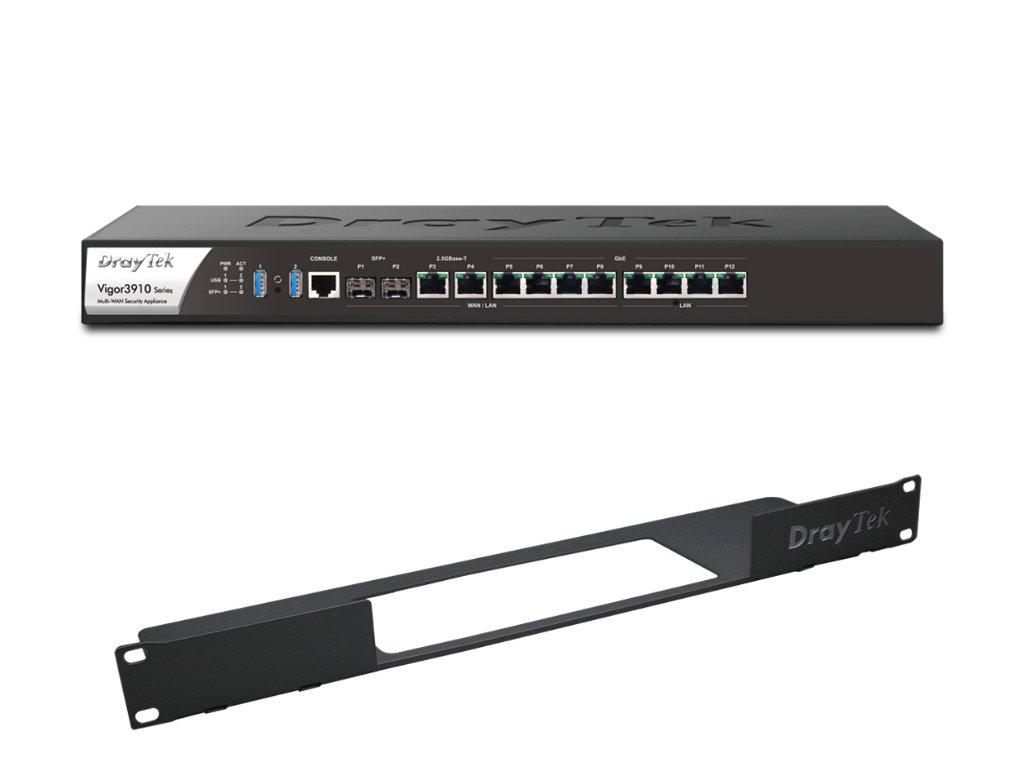
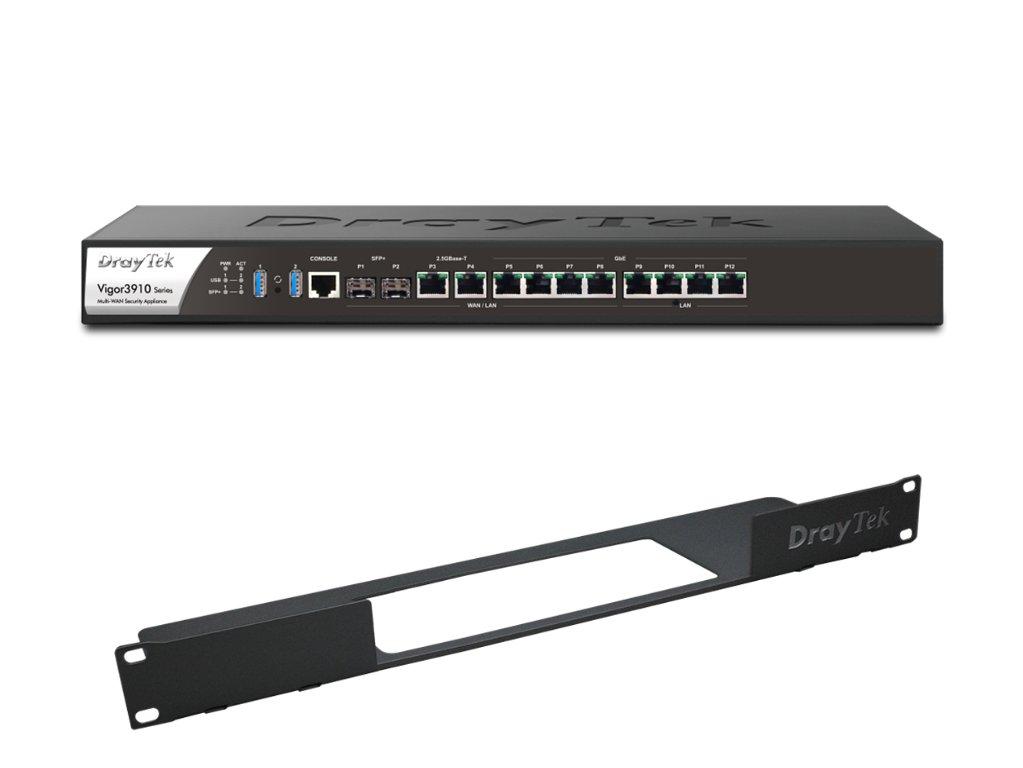
DrayTek Vigor 3910 Multi-WAN Gateway Router with Rack Mount (RM1)
DrayTek V3910 Router with Rack Mount Bundle

Click to zoom

DrayTek V3910 Router with Rack Mount Bundle

DrayTek Vigor 3910 Multi-WAN Gateway Router with Rack Mount (RM1)

Part Number: V3910-RM1

£789.49inc VAT
£657.91ex VAT

Out of stock

Easy Returns

Bulk Pricing

  • 1+

    £789.49

  • 5+

    Call to quote

  • 10+

    Call to quote

Exclusive bundle of the DrayTek Vigor 3910 Multi-WAN Gateway Router with the DrayTek Rack Mount Bracket (RM1).

Description

The DrayTek Vigor 3910 is a powerful Internet Gateway Router capable of dealing with large, complex networks. Providing applications such as Remote Access, Firewalling, Load-Balancing and Failover, the V3910 can help cope with bandwidth intensive tasks of SMEs. With 12 Ports, the V3910-K gives the flexibility to switch between LAN or WAN Ports to meet the requirements of your networking needs.

The Vigor 3910 Router is a 10Gb Enterprise Level High Performance VPN Concentrator, with a powerful 1.2GHz Quad-Processor that helps it handle the demanding throughput of large and complex networks. This multi-WAN Router has 4 dedicated LAN Ports, 8 of with are switchable between LAN or WAN, allowing up to 11 WAN Ports, or the provision of Load-balancing of up to 8 WAN Connections.

The Vigor 3910 features a flexible Local Network Interface giving you the control to manage multiple Networks. Up to 50 separate Local Networks (subnets) can be created and managed. Each Network can contain anywhere from 253 to 1022 devices and Web Content Filtering helps you to control each Network by placing restrictions and blocks on any websites, applications and downloads of certain file types, to protect you from potentially harmful content. With Inter LAN routing you can ensure that specific Networks can communicate with each other whilst keeping other Subnets isolated and control the local traffic.

The robust Firewall can monitor and control access, filtering the traffic to your Network. VPN Trunking increases bandwidth and provides Failover (back-up). Control throughput with Bandwidth Limit, by setting speed limits for certain networks or groups of subnets.

Quality of Service gives you the ability to prioritise any latency-sensitive applications within your network. You can use 4 separate queues to give priority to servers & PCs with services such as VoIP. Auto Voice VLAN will allow the router to automatically prioritise your VoIP calls as they pass through the router without additional configuration.

Compared to its predecessor The DrayTek Vigor 3900-K, the V3910 has many more additional features that can enhance your network architecture, including 2 extra WAN ports, 1 extra SFP interface, increased Firewall mB/s performance and increased NAT sessions. It also provides yous access to the DrayTek Hotspot Web Portal.

By using a pair of the V3910 Routers, there is scope for High Availability by providing a hardware backup solution, where if the primary unit happens to fail, the secondary one will take over. They can also be connected to any one of the switches from DrayTek VigorSwitch range, including the VigorSwitch VSP2280X-K

Key Highlights

  • 12 Ports: 4 Fixed LAN, 8 switchable LAN or WAN ports
  • 2 x Independant USB 3.0 ports 1x RJ-45 (RS-232)
  • 1 x RJ-45 Console Port
  • 9 Gb/s NAT Throughput
  • Up to 150,000 NAT Sessions
  • 3 Gb/s VPN Performance
  • Up to 500 Concurrent VPN Tunnels
  • Up to 50 LAN Subnets
  • Up to 200 Concurrent SSL VPN
  • Comprehensive Firewall - IPv4 / IPv6
  • WAN Load Balancing & WAN Failover
  • Web Content Filtering
  • Quality of Service Assurance
  • Bandwidth Limit
  • High Availability
  • VPN Truncking Support
  • 1 x Factory Reset Button
  • Optional VigorCare Available - Category 4 (*|SKU:VCARE4D|*
You might also like

New
ubiquiti/ucg-ultra-front

Ubiquiti UniFi Cloud Gateway Ultra

£98.99inc VAT

More by DrayTek

2767ax-1

DrayTek V2767AX VDSL Ethernet Router

£217.99inc VAT
New
V2136AX-K-1

DrayTek V2136AX WiFi 6 Router

RRP£183.48inc VAT
 DrayTek Vigor 2865ax Router Image 1

DrayTek Vigor 2865ax Router

£358.99inc VAT
Best Seller
DrayTek Vigor 2927ax Router Image 1

DrayTek Vigor 2927ax Router

£309.49inc VAT
Best Seller
Draytek V2962 Image 1

Draytek V2962 VPN Router

£466.99inc VAT
Best Seller
DrayTek Vigor V2865 Wired VDSL2 Multi-WAN Router Front Angle

DrayTek V2865 VDSL2 Multi-WAN Router

£255.49inc VAT
New
DrayTek V2763 VDSL & Ethernet Router Main Image

DrayTek V2763 VDSL & Ethernet Router

RRP£178.20inc VAT
Best Seller
Vigor 2927 Image

DrayTek Vigor 2927 Wired Router

£250.99inc VAT

Latest Tech News

Read Blog
How Is HPE Using AI to Make Networking Smarter?
NetXL 30 Sep 2026 | 5 min readHow Is HPE Using AI to Make Networking Smarter?

Discover how HPE is using AI-powered tools in Aruba Central to simplify troubleshooting, predict network issues and help IT teams manage networks more efficiently.

Which TP-Link Omada Access Point Is Right for Your Network?
NetXL 29 Sep 2026 | 5 min readWhich TP-Link Omada Access Point Is Right for Your Network?

A guide to TP-Link Omada access points, including indoor and outdoor models, WiFi 6 vs. WiFi 7, and how to choose the right AP for different environments.

What Is the Omada Fusion 2.5G Gateway?
NetXL 11 Sep 2026 | 5 min readWhat Is the Omada Fusion 2.5G Gateway?

A closer look at how Omada Fusion 2.5G combines routing, security and network management in one device.

NetXL Launches Free AI Account Access for Customers
NetXL 3 Aug 2026 | 5 min readNetXL Launches Free AI Account Access for Customers

Connect your NetXL account to ChatGPT, Claude and other AI assistants in minutes with secure, free access to pricing, orders, products and more.

What Is HPE Aruba Networking? Everything You Need to Know
NetXL 24 Jul 2026 | 5 min readWhat Is HPE Aruba Networking? Everything You Need to Know

A practical guide to HPE Aruba Networking, its key technologies, products and where they’re used.

How HPE Networking Instant On Enhances Guest Experiences Across Hospitality Environments
NetXL 8 Jul 2026 | 5 min readHow HPE Networking Instant On Enhances Guest Experiences Across Hospitality Environments

How HPE Networking Instant On Enhances Guest Experiences Across Hospitality Environments

DrayTek 2026 Product Update: WiFi 7, Multi-Gig Routers & Vigor Shield
NetXL 11 Jun 2026 | 5 min readDrayTek 2026 Product Update: WiFi 7, Multi-Gig Routers & Vigor Shield

From WiFi 7 access points to built-in network security, discover how DrayTek is evolving its business networking portfolio for faster, smarter and more resilient connectivity.

What is TP-Link Omada? The Business Network Solution Explained
NetXL 20 May 2026 | 5 min readWhat is TP-Link Omada? The Business Network Solution Explained

See how Omada simplifies business networking with seamless WiFi roaming, centralised cloud management and scalable SDN infrastructure.